#Glitch
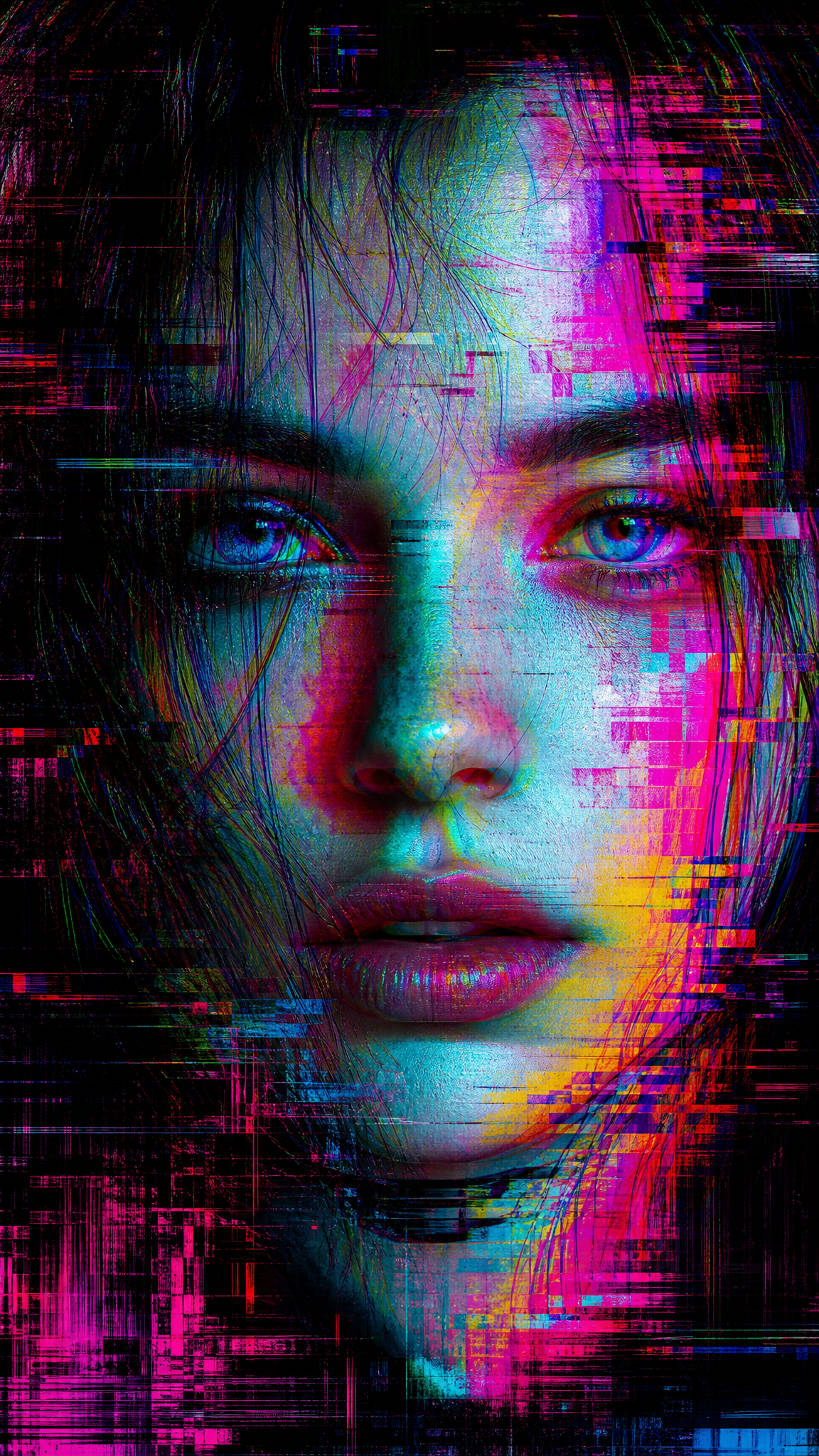
Glitch art is a visual style that uses digital and analog errors — corrupted data, compression artifacts, pixel displacement, and signal interference — as deliberate aesthetic elements. As a wallpaper aesthetic, glitch translates fragmented scan lines, chromatic aberration, pixel sorting, and data-moshing into visually striking compositions that feel unstable, rebellious, and digitally raw. Glitch wallpapers work well in tech-forward setups where a polished, sterile background would feel out of character.
Acerca del arte de Glitch
Glitch art as a recognized movement traces back to the mid-20th century practice of deliberately manipulating electronic signals for aesthetic effect. The history of glitch art has been regarded as ranging from crafted works such as Len Lye's film A Colour Box (1935) and Nam June Paik's video sculpture TV Magnet (1965) to Jamie Fenton and Raul Zaritsky's Digital TV Dinner (1978), an early landmark in which corrupted video game output is treated as visual art. The net.art collective JODI — founded by Joan Heemskerk and Dirk Paesmans — advanced glitch aesthetics in the 1990s, and its explorations later influenced visual distortion practices such as databending and datamoshing. The movement gained broader theoretical grounding through the Dutch art theorist and artist Rosa Menkman, who wrote the Glitch Studies Manifesto and A Vernacular of File Formats and published Network Notebook #04: The Glitch Moment(um) in 2011, using information theory to argue for glitch art as a distinct genre of contemporary art. Core techniques include databending (manipulating a file of one format with software designed for another), circuit bending (physically altering hardware wiring or internal connections), and the exploitation of lossy-compression artifacts such as JPEG DCT blocks. The style crossed into mainstream graphic design and wallpaper aesthetics as vaporwave and cyberpunk visual culture popularized digital-error imagery in the 2010s.
Rasgos visuales
- Horizontal scan lines, band displacement, or row-shifted image fragments
- Chromatic aberration — RGB channel separation creating colored edge halos
- Pixel sorting — columns or rows of pixels rearranged by brightness or hue into streak patterns
- Compression artifacts — visible JPEG block corruption, macro-blocking, and mosaic distortion
- Color banding and posterization from reduced color depth or forced errors
- Signal noise — static, snow, or grain overlays suggesting analog TV interference
- Fragmented or displaced image sections where parts of the composition appear shifted or duplicated
- Harsh, high-contrast color palettes often dominated by cyan, magenta, and black
- Data-mosh textures where motion-prediction frames bleed into static images
- Visible digital grid or matrix structures underlying the corrupted surface
- Abrupt tonal breaks rather than smooth gradients — the image looks interrupted
Casos de uso
Desktop wallpapers for developer or tech-creative workstations where the digital-error aesthetic matches the environment
Phone lock screens with vertical pixel-sort streaks that align naturally with portrait orientation
Ultrawide displays where horizontal scan-line distortion can span the full width dramatically
Gaming setups where the glitch aesthetic complements cyberpunk or vaporwave-themed peripherals
Dark-theme environments where the high-contrast fragments pop against a dark base
Creative professional setups that signal comfort with digital culture and experimental aesthetics
Estilos similares
Diferente de
Guía de prompt
Indicaciones para el prompt
- Name the glitch type explicitly: 'pixel-sorted wallpaper,' 'data-moshed portrait,' 'JPEG corruption art,' or 'scan-line distortion'
- Specify the base subject being corrupted: 'glitched landscape,' 'corrupted portrait,' 'distorted cityscape,' or 'abstract glitch pattern'
- Control the corruption intensity: 'subtle glitch artifacts,' 'moderate pixel displacement,' or 'heavy data corruption filling the frame'
- Define the color approach: 'RGB channel separation,' 'cyan and magenta chromatic aberration,' or 'monochrome static noise'
- For wallpaper usability, request composition balance: 'glitch effect concentrated in center, darker stable edges for icon placement'
- Layer techniques for complexity: 'pixel sorting with scan-line overlay and compression block artifacts'
Consejos
- Internal editorial suggestion: The most visually striking glitch wallpapers corrupt a recognizable subject (landscape, portrait, architecture) rather than starting from pure abstraction.
- Internal editorial suggestion: Cyan-magenta-black is the most reliable glitch color palette because it references RGB channel separation, which AI models understand well.
- Internal editorial suggestion: For desktop use, ask the model to keep the lower third or edges relatively stable so the taskbar and icons remain legible.
- Internal editorial suggestion: Combining two specific glitch techniques (e.g., 'pixel sorting with scan-line displacement') produces more authentic results than the generic word 'glitch' alone.
Palabras clave recomendadas
Evitar
Errores comunes
- Too subtle — the glitch effects are barely visible and the image reads as a normal photo with minor noise; increase corruption intensity keywords
- No underlying structure — pure random noise without a recognizable base subject or composition loses visual interest; always define what is being glitched
- Color becomes muddy — without specifying the color approach, AI may produce brown-gray corruption; request specific channel separation or neon error colors
- Losing wallpaper usability — if every pixel is corrupted, there is no resting area for icons; ask for concentrated corruption with stable edges
- Defaulting to vaporwave — many models associate glitch prompts with smooth vaporwave gradients; use specific technical terms like 'JPEG macro-block' or 'pixel sorting' to stay in glitch territory