#Pixel Art
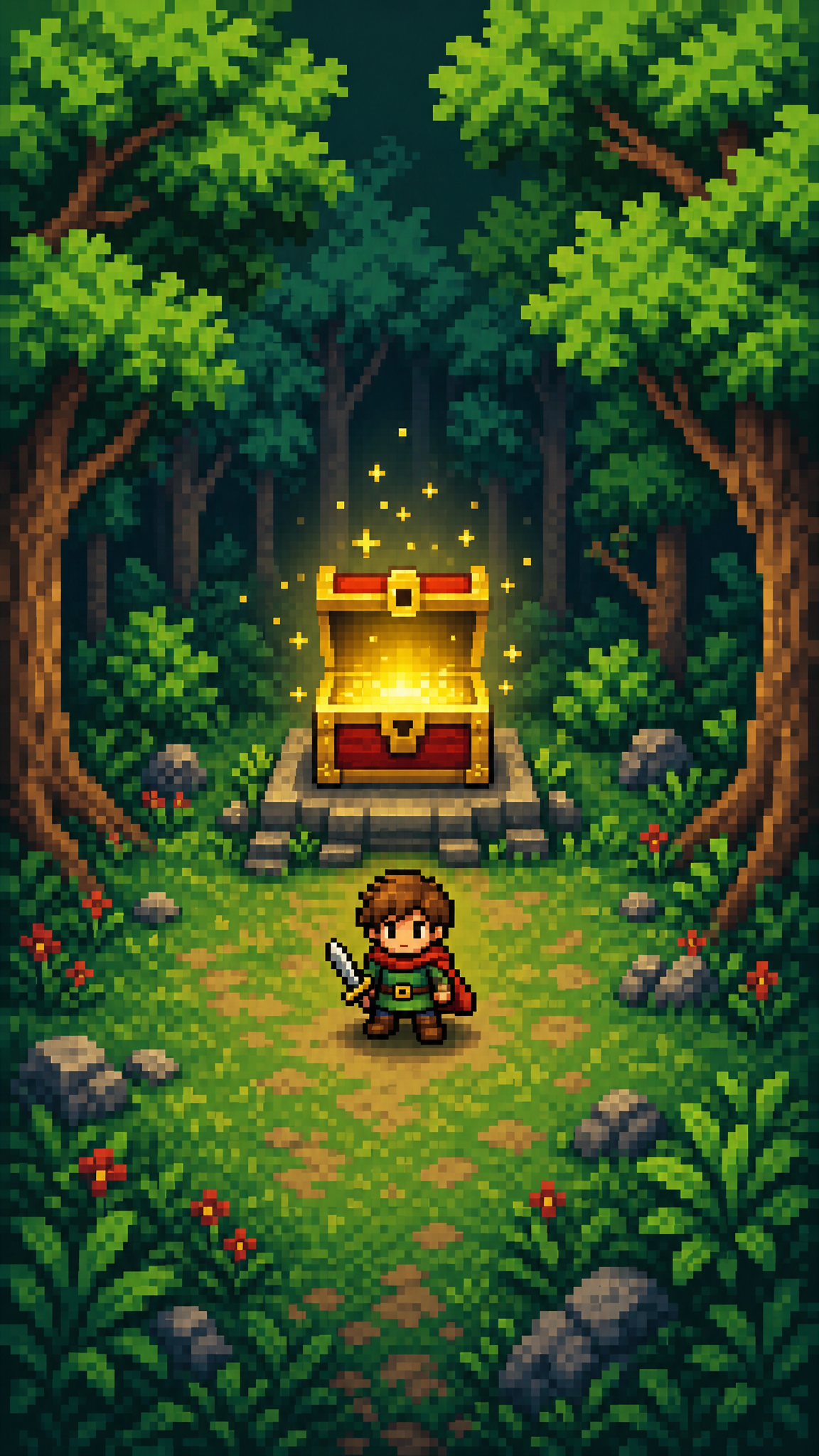
Pixel art is a digital art form where images are composed by deliberately placing individual pixels, creating a distinctive blocky aesthetic. As wallpaper art, pixel art translates retro gaming nostalgia and low-resolution charm into intentionally styled compositions that range from 8-bit simplicity to detailed 16-bit landscapes. The style is defined by visible grid structure, limited color palettes, and clean hand-placed pixel work. Pixel art wallpapers are naturally resolution-flexible: they can be displayed at native low resolution for authenticity or scaled up with nearest-neighbor filtering to maintain crisp edges on modern displays.
About Pixel Art Art
The term 'pixel art' was first published in a journal letter by Adele Goldberg and Robert Flegal of Xerox Palo Alto Research Center in 1982, and the practice goes back at least to Richard Shoup's SuperPaint system in 1972, also at Xerox PARC; even earlier examples appeared on monochromatic light-bulb matrix advertising displays in early-20th-century New York. Pixel art as it is known today largely originates from the golden age of arcade video games, with titles like Space Invaders (1978) and Pac-Man (1980), and 8-bit consoles such as the Nintendo Entertainment System (1983) and the Sega Master System (1985). Before the 1990s, display systems were mostly based on small 4-bit palettes of 16 imposed shades; the following decade brought greater color depth and indexed palettes (512 colors on the Atari ST and Mega Drive, 32,768 on the Super Nintendo). The European demoscene movement that rose in the late 1980s fostered communities creating pixel art for its own sake as art. During the 1990s, 2D games with manually painted graphics saw increasing competition from 3-dimensional games, but pixel art's popularity accelerated again during the 2010s through retro-styled indie games such as Shovel Knight, Undertale, Stardew Valley, and Celeste, and the form is still employed by pixel artists and game studios even though the technological limitations have since been surpassed.
Visual Traits
- Visible individual pixels forming the basic building blocks of every shape and line
- Strict grid-based composition where all elements align to a pixel grid
- Limited color palettes, often 16 to 64 colors, with deliberate dithering for gradient effects
- Crisp stair-step diagonal lines, with either fully hard edges or selective anti-aliasing that uses intermediary palette colors
- Palette-limited aesthetics shaped by hardware-era constraints: many pre-1990s systems used fixed 16-shade palettes, while later platforms exposed much larger indexed palettes
- Dithering patterns (checkerboard, ordered) used to simulate gradients and texture within palette constraints
- Small sprite-scale character design with readable silhouettes at low resolution
- Tile-based environments where repeating modules build larger scenes
- Deliberate pixel placement where every pixel serves a purpose in the composition
- Flat or minimal shading with clear light-dark separation rather than smooth gradients
- Nostalgic association with retro gaming platforms and early computer interfaces
Use Cases
Desktop wallpapers featuring pixel art landscapes, cityscapes, or nature scenes that evoke retro gaming atmosphere
Phone lock screens with centered pixel art characters, objects, or icon-scale compositions
Gaming setup backgrounds that complement retro or indie game aesthetics
OLED screens where the limited palette and true-black areas create striking contrast with bright pixel colors
Animated or live wallpapers using simple pixel art loops (rain, flickering lights, flowing water)
Multi-monitor setups using wide panoramic pixel art scenes that tile naturally due to the grid-based structure
Similar Styles
Different From
Prompt Guide
Prompt Directions
- Declare the bit depth and resolution intent: '16-bit pixel art,' '8-bit retro style,' or 'high-detail pixel art with limited palette'
- Specify the scene type: 'pixel art sunset landscape,' 'retro pixel city at night,' 'pixel art fantasy dungeon,' or 'pixel art space scene'
- Control the color palette: 'NES color palette,' '32-color limited palette,' 'warm sunset palette with dithering'
- Request pixel-specific rendering: 'visible pixels,' 'controlled edge treatment,' 'crisp pixel edges,' 'nearest-neighbor scaling'
- Define the composition scale: 'wide panoramic pixel scene,' 'centered sprite on dark background,' or 'tile-based repeating environment'
- For wallpaper use, specify the intended display context: 'desktop wallpaper 1920x1080 pixel art' or 'phone wallpaper pixel art portrait orientation'
Tips
- Internal editorial suggestion: Specifying a known hardware palette (NES, SNES, Game Boy) in the prompt usually produces more authentic results than describing colors abstractly.
- Internal editorial suggestion: Pixel art landscapes with horizontal banding (sky gradient, terrain layers) are the most reliable wallpaper-safe compositions because they scale well across aspect ratios.
- Internal editorial suggestion: For desktop wallpapers, a pixel art scene with a large sky or dark area naturally provides icon-safe zones without sacrificing the pixel art aesthetic.
- Internal editorial suggestion: If the AI output has smooth edges, requesting the result at a deliberately low resolution (e.g., 320x180) and then upscaling with nearest-neighbor produces more authentic pixel art than generating at full wallpaper resolution.
Recommended Keywords
Avoid
Common Failures
- AI generating over-smoothed 'pixel-style' art that hides the deliberate grid — explicitly request 'visible individual pixels' and selective, palette-limited edge treatment
- Too many colors breaking the limited-palette constraint — specify an exact color count like '32 colors' or reference a known palette
- Inconsistent pixel scale where some elements have larger pixels than others — request 'consistent pixel grid' throughout
- Dithering patterns that look like noise rather than intentional texture — specify 'ordered dithering' or 'checkerboard dithering'
- Output that looks like a photo with a mosaic filter applied — true pixel art is built up from pixels, not derived by downsampling photographs