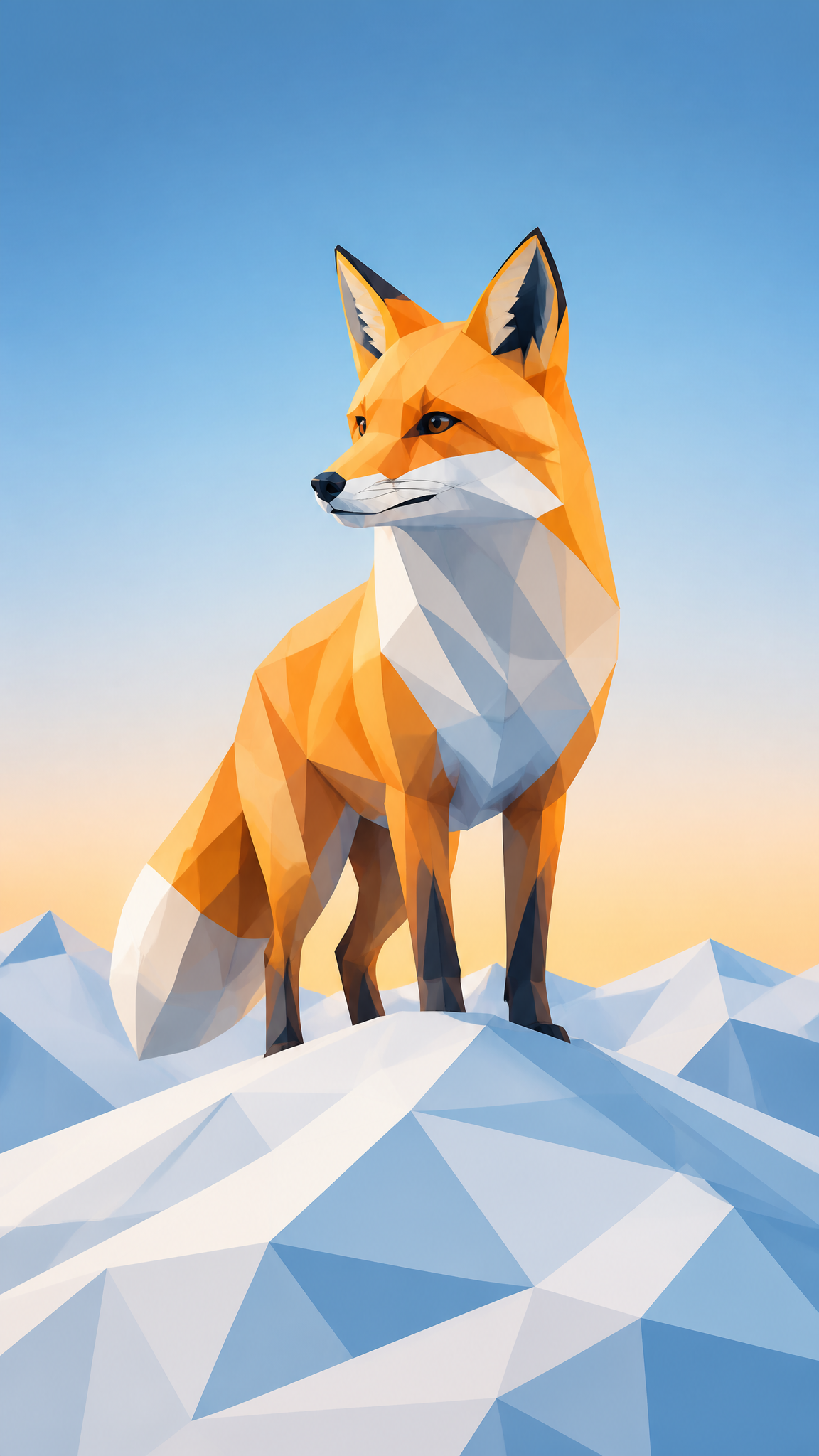
#Low Poly
Low-poly wallpapers reduce form into visible geometry: faceted surfaces, hard planar breaks, simplified silhouettes, and a digital look that feels intentionally constructed rather than smoothly realistic. What began as a response to polygon limits in real-time 3D became an aesthetic in its own right, which is why low poly still works today as both retro-tech nostalgia and crisp modern abstraction.
About Low Poly Art
The verified sources support a two-stage history: low poly began as a technical constraint and later became a deliberate style. Wikipedia's overview explains low poly in terms of small polygon counts and polygon-budget logic in 3D models, with strong ties to earlier game hardware limitations. Kill Screen adds the cultural argument that low poly became an intentional aesthetic movement rather than a leftover compromise, especially once technology no longer required it. Domestika and Adobe both reinforce the transition from constraint to stylistic choice, while 99designs documents how polygonal geometry and limited form moved beyond games into broader graphic-design use.
Visual Traits
- Visible triangular or polygonal facets
- Simplified silhouettes with reduced mesh complexity
- Flat or minimally blended shading
- Hard-edged planes that make volume legible through geometry
- Color blocks used to separate form rather than paint micro-detail
- A crisp digital look that foregrounds construction
- Strong readability at a distance because of simplified structure
- A balance between abstraction and recognizability
Use Cases
Abstract desktop wallpapers built around faceted crystals, animals, or landscapes
Game-inspired device themes with clean geometric depth
Tech wallpapers that want digital character without glossy realism
Phone backgrounds where bold shape separation matters more than fine detail
Poster-like compositions using polygon reduction for a modern graphic effect
Similar Styles
Different From
Prompt Guide
Prompt Directions
- Name the style clearly, such as 'low-poly wallpaper' or 'faceted geometric 3D scene'
- Define the subject first: animal head, mountain landscape, crystal form, city skyline, character bust
- Use terms like faceted, polygonal, triangular planes, simplified mesh, flat shading, or reduced geometry
- Keep the palette focused so the facets stay readable instead of dissolving into noise
- If the output becomes too smooth, ask for visible polygon edges and lower mesh complexity
Tips
- Internal editorial suggestion: low-poly works best when the subject has a clear silhouette before faceting begins.
- Internal editorial suggestion: broad facet sizes usually hold up better on smaller screens than micro-triangulation.
- Internal editorial suggestion: cross-link with `geometric`, `3d-render`, and `3d-isometric` helps users separate medium, projection, and shape logic.
- Internal editorial suggestion: gradients can work, but keep them behind the geometry instead of across every plane.
Recommended Keywords
Avoid
Common Failures
- The image looks like generic geometry art with no subject clarity
- Too many tiny polygons make the wallpaper noisy instead of elegant
- Lighting smooths the surfaces so much that the low-poly identity disappears
- The palette is overcomplicated and hides the faceted structure